

Agility Blue Spring 2026 Update

What's New?
Task Time Tracking
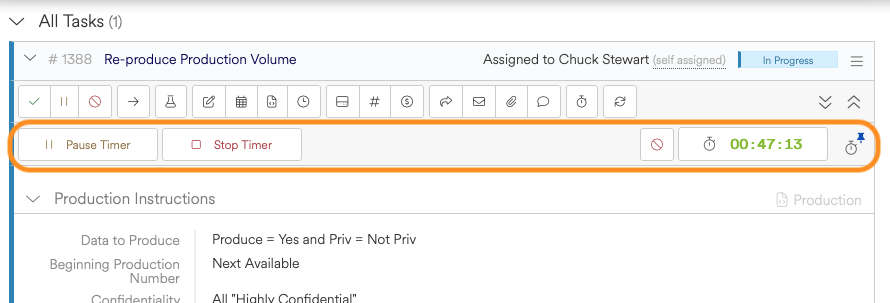
We've introduced a new task time tracking system, enabling users to track time directly within tasks as work is performed. Timers can be started, paused, and stopped in real time, providing a seamless way to capture effort without interrupting workflow.
Time is captured automatically as work progresses and remains tied to the task where the work is actually happening, eliminating the need for manual entry or separate tracking tools.
What this unlocks:
More accurate and consistent time capture across your team
Improved visibility into task-level effort and activity
Separation of time tracking and billing rules (rounding, minimums, etc.) for greater flexibility
A more natural workflow with timers embedded directly where work is performed
To get started with time tracking, enable timer settings on a billing type. For more detailed guidance, visit our time tracking documentation.
Grid Enhancements
Advanced grid filters have been promoted from feature preview to generally available.
Switching between saved grid states now preserves the selected fields and column order defined when the state was created.
Grids now remember and restore the current page, scroll position, and selected row.
Working grid state (filters, sorting, and layout) is now preserved while navigating within saved states.
Other Enhancements
Improved billing type auto-pluralization to better follow standard English rules (examples: box > boxes, day > days, key > keys).
Added the project owner field to task grids and task form field grids.
Added Billing Type ID to the billing profiles table.
[Scripting] Added new cmdlets for mentions:
Get-Mentions
Get-Mention
Add-Mention